Monthly Archives: August 2010

Getting a Property Name as a String in F#

I’ve been playing around with F# recently, the functional language that shipped with Visual Studio 2010. I’m looking at using it to write an application using WPF and the Model-View-ViewModel architecture. One big requirement is for DataBinding.

When you bind the View to the ViewModel, you typically have to use the explicit name of the property on the ViewModel that you’re binding to (like “Text”). You also need the literal name of the property when you fire off (or receive) the PropertyChanged event. That’s always been a little ugly, because using the literal string means it isn’t compile-time checked. I got around it in C# using a helper class which uses reflection and lambda expressions to look at a piece of code (e.g. o => o.MyProperty) and get the name of the property as a string.

That utility class didn’t work in F#, mostly because F# lambda expressions aren’t the same base object as C# lambda expressions. I was faced with rewriting it. This is where F# seems to shine. Here’s the same “get property name” logic written in F#:

    open Microsoft.FSharp.Quotations.Patterns

    let propertyName quotation =
        match quotation with
        | PropertyGet (_,propertyInfo,_) -> propertyInfo.Name
        | _ -> ""

Here’s how you can use it:

    type myClass(p) =
        member x.MyProperty
            with get() = p

    let myObject = new myClass(1)

    let myPropertyName = propertyName <@ myObject.MyProperty @>

At the end, myPropertyName has been assigned the string value “MyProperty”. It’s a heck of a lot less code. In this case it only works if you have an existing object to run it against. However, you can modify the propertyName function to make it recursively dig through the Lambda and find the PropertyGet:

    let rec propertyName quotation =
        match quotation with
        | PropertyGet (_,propertyInfo,_) -> propertyInfo.Name
        | Lambda (_,expr) -> propertyName expr
        | _ -> ""

    let myPropertyName = propertyName <@ fun (x : myClass) -> x.MyProperty @>

Now you don’t need to have an instance of the class lying around to get the property name.

The “Almost There” Paradox

We’re all probably familiar with the idea that it takes half the time to get to 90% done and the other half to finish the last 10%. This is a staple of project management.

I think there’s actually a narrower scope of really dangerous solutions that you only become familiar with after you experience it. There’s a whole set of problems where the obvious solution gets you 95 to 98% of the way to your performance spec really quickly, but is almost impossible to reach 100% by incremental improvements. The reason I say they’re dangerous is because the feeling of being “almost there” prevents you from going back to the drawing board and coming up with a completely parallel solution.

I can remember a machine vision job from years ago where the spec was “100% read rate”. I only got it to about 94%, and someone else gave it a try. He got it up over 96%, but 100% was out of reach given the technology we had.

Experiences like that make you conservative. Now I unconsciously filter possible solutions by their apparent “flakiness”. I’m much more likely to add an extra prox to a solution to verify a position than to rely on timers or other kinds of internal state, because the latter are more prone to failure during system starts and stops. I press for mechanical changes when I used to bend under the pressure to “fix it in software”.

Still, you have to be careful. Its easy to discount alternatives just because they bear some passing resemblance to a bad experience you had before. You have to keep re-checking your assumptions. Unfortunately, rapid prototyping usually fails to uncover the “almost there” situation I’m talking about. If you prototype something up fast, and it works in 97% of your lab tests, you’ll probably think you have a “proof of concept”, and go forward with it.

The best way to test new solutions is to put them into production on a low risk system. If you’re an integrator, this means having a really good relationship with your customer (chances are you need their equipment to run your tests). If you work for a manufacturer, you can usually find some out-of-the-way machine to test on before you go all-in.

“Best Practices,” Indeed

I’ve just been reading Ken McLaughlin’s recent post Top Ten Signs an Integrator is the Real Deal #7: Best Practices and Standards and I have to say, my initial reaction is one of skepticism. I think Ken’s thinking is a little too narrow on this one. Let me explain…

This isn’t the first time I’ve considered the “problem of standards” on this blog. In an earlier post, Standards for the Sake of Standards, I explained how most corporate standards eventually end up being out-of-date and absurd, mostly because nobody making the standard ever things to write down Why the standard exists, which would allow future policy-makers to understand the reasons and change the standard when it no longer applied. Instead, it becomes gospel.

However, that isn’t to say you could run a large organization without best practices and standards. That’s the point isn’t it? In order to become large, you need built-in efficiency, and you do that at the expense of innovation. Big companies don’t innovate (in fact the only notable exception is Apple, and the rebuttal is always, “fine, so give one example other than Apple”). Almost all innovation happens in small companies, by a tightly knit group of superstars where the chains have been removed. Best Practices are, in fact, put in place to clamp down on innovation because innovation is risky, and investors hate risk. It’s better to make lots of average product for average people than exceptional products for a few people (hence McDonald’s). Paul Graham, as usual, has something insightful to add to this:

Within large organizations, the phrase used to describe this approach is “industry best practice.” Its purpose is to shield the pointy-haired boss from responsibility: if he chooses something that is “industry best practice,” and the company loses, he can’t be blamed. He didn’t choose, the industry did.

I believe this term was originally used to describe accounting methods and so on. What it means, roughly, is don’t do anything weird. And in accounting that’s probably a good idea. The terms “cutting-edge” and “accounting” do not sound good together. But when you import this criterion into decisions about technology, you start to get the wrong answers.

The reason small companies are innovative is that innovative people can’t stand corporate environments. Imagine if you were an inspired chef… could you stand working at McDonald’s? Could McDonald’s even stand to employ you? You’d be too much trouble! You’d have to work in that nice one-off restaurant called “Maison d’here” where the manager puts up with your off-beat attitude because ultimately you make good food, and you keep their small but devoted clientèle coming back. But you can’t be franchised. The manager of the restaurant can’t scale you up without making what you do into a procedure.

So back to Ken’s topic… if you are choosing a systems integrator, you need to decide if you’re buying an accounting system (i.e. something that’s generic to all companies, and not a competitive advantage), or something that is a competitive advantage to you. When you’re automating your core business processes, you must build competitive advantage into it, and it must be innovative. If that’s the case, stay away from larger integrators with miles and miles of red tape and bureaucracy. Go for the “boutique” integrator (somewhere in the 7 to 25 person sized company, under $10 million per year in revenue) that can show you good references. You’re looking for a small group of passionate people. Buzzwords are a warning sign; small companies don’t have time for corporate-speak.

I’m not saying you should use the two guys in their garage. These guys are ok for your basic maintenance tasks, small changes, and local support, but you do want someone who has been around for a few years and has at least a couple of backup engineers they can pull in if there’s a problem. Make sure they have a server, with backups, and all that.

On the other hand, if what you’re automating is very large and very standard, that’s when you want to go with Ken’s approach. If you need to integrate a welding line, paint line, or whatever, there’s nothing new or innovative in that, so you want to lower the risk. You know all the big integration companies can do this, so go and get three bids, and choose the one that’s hungriest for the work. Make sure they have standards and best practices. The reduction in risk is worth it if you don’t need the innovative solution.

You can do a hybrid approach. Identify the parts of your process that could be key competitive advantages if you could find a better way to do it. This is where innovation pays off. Go out and consult with some boutique integrators ahead of time and get them working on those “point solutions”. Then go to the bigger companies to farm out the rest of your automation needs. How’s that for a “best practice”?

The User Interface Makes the Difference, Except in Automation

Start by watching this video about the Aeryon Scout robot (kudos Kareem):

I think what sets this aerial robot apart, as Kareem says, is the intuitive user interface. When I look at the state of automation today, I can see that good user interfaces are typically an after-thought. Custom solutions are sometimes so cobbled together that there isn’t enough bandwidth between one black box and the HMI, or the HMI is just a simple two line text display that ends up saying FAULT 53 (the manual with the list of faults, of course, is stuck inside the door of the panel, and it’s the only thing in the area that isn’t covered in grease because nobody bothers to look at it).

People frequently blame engineers for this mess, which I find a bit silly. Certainly user interfaces are a critical component of any system, but why do you hire an electrical designer to do the electrical design, hire a programmer to write the software, but expect one of these people to magically become a usability expert, which is a field unto itself?

I think there used to be an idea that there was no payback on usability. Certainly if you’re selling something like a VCR, you can only print features on the box (you can’t accurately represent the experience of using it) and people only buy one. However, as items become more social (think iPhone), we’re starting to see great user interfaces create viral marketing for products. I think I first saw this with the TiVo – once you saw what it could do, and how easy it was, you were hooked. Apple’s technology seems to be the same way, and I can see how the Aeryon Scout probably has the same “shock and awe” effect when you demo it.

Where does that leave us with industrial automation interfaces? Automation is always purchased based on a cost-benefit analysis because of the high capital cost. The operators typically don’t participate in the purchasing decision at all. I don’t think effort put into a better user interface is wasted; in fact I’m certain there’s a long term payback. But it’s not a selling feature and it takes more time to do right.

Still, when I programmed a machine recently, it was nice to overhear someone say, “it’s pretty intuitive, isn’t it?” So I guess I’ll keep trying, even if it’s not in my own best interest. Engineers are weird that way.

If you’re interested in making better user interfaces, first I recommend reading The Design of Everyday Things by Donald Norman. I also recommend this video called the least you can do about usability by Steve Krug, author of Don’t Make Me Think: A Common Sense Approach to Web Usability, 2nd Edition.

The Two Kinds of Automation Software

As we all know, there are 10 kinds of people in the world.

For those of you who haven’t read Zen and the Art of Motorcycle Maintenance by Pirsig, he spends at least one chapter at the beginning talking about how we naturally tend to divide things into smaller pieces in an effort to understand them. The novice looks at a motorcycle and sees the visible things, like a seat, handlebars, and wheels, but the expert sees a fuel system, a cooling system, and the suspension. The same thing or system (motorcycle) can be subdivided different ways depending on what we want to do with it.

My tongue-in-cheek title of this post is an acknowledgement of the many ways we can categorize something like Automation Software, but for my purposes today, I’m making two categories: hammers and levels.
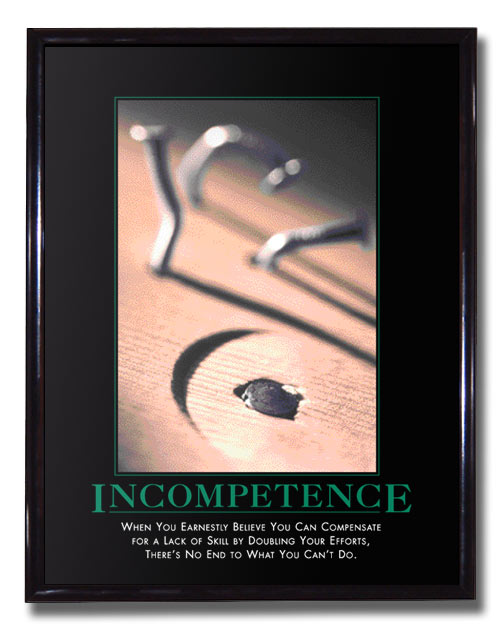
A carpenter carries both a hammer and a level, but the two have fundamentally different failure modes. If a hammer stops working, you’ll know it as soon as you try to use it. As long as it hammers in a nail, it doesn’t matter if the hammer is rusty, dirty, scratched or dented, it’s a working hammer. The level, on the other hand, is a measuring instrument. As novices, we assume that it comes from the factory pre-calibrated, and we happily hang our shelf or picture without testing it, but a professional carpenter knows that they have to check their levels for accuracy, or else the level is useless. You could use a level for years, but if one day it stopped being accurate, you probably wouldn’t know. This is a very different situation than the hammer.

Software in general, and automation software in particular, both have similar examples. You never need to “calibrate” the Axis 1 Advanced proximity switch on a machine because if it doesn’t work, the machine won’t make parts (and you’ll know about it instantly, usually via a 2 am phone call). On the other hand, testing data collection logic is surprisingly difficult because the only way to test it is to compare it with a known-good equivalent. Assuming you created this data collection logic to automate away a manual process, the only measuring stick we can check it against is the manual process we’re replacing. Once the system is bought off and we get rid of the paper system, how do you prove that subsequent changes don’t break the data collection system?

It’s tempting to brush off the problem by saying that anyone who makes a subsequent change has to do a full regression test of the system, including the data collection system, but anyone who has worked in a real factory environment knows that this is unlikely to work in practice. Full regression tests are expensive.

In the greater software world, they use automated unit tests. They take the logic being tested and they run it through a series of automated checks to make sure nothing changes. This works well in an environment like PC programming, but is very difficult in practice for PLC programming because (a) you usually need a physical PLC to execute the logic (unless you have some kind of emulator) and (b) the people maintaining the system are likely not familiar with concepts like unit tests, and are likely to undervalue their importance.

This screams for a system-level solution. Take accounting for instance. Double-entry accounting (the use of debits and credits to force every action to be made twice) is deliberately created to help catch manual entry errors. If your debits and credits don’t balance, you know you’ve made a mistake somewhere, and you go back and check your arithmetic.

In the automation world, the solution is to measure every input to the data collection system two ways, analyze and aggregate both separately, and compare the end results. Create a system warning or fault if the results don’t match. For instance, measure the amount of material going into the machine, and measure the amount of material exiting the machine, both as finished product, and scrap. If the input doesn’t match the sum of the outputs over the same time period, you know you have a problem. The system becomes self-checking (a hammer rather than a level).

If you follow this route, you need to take care to avoid some common traps:

  • Don’t re-use logic between the two sides (in fact, try to make them work differently)
  • Try to use different sensors or sensing methods (can we measure the input by speed and duration, and the output by parts and scrap weight?)
  • Record both, so if there is a discrepancy, you can check them against manual measurements

It sounds like more work, but making the system self-checking actually reduces the amount of testing you have to do, so it’s not as bad as you think. Besides, writing code is a lot more fun than testing it. We automate everyone else’s job, why not the boring parts of ours?