Contact and Coil | Nearly In Control

CAT | Industrial Automation

Jan/12

19

The Psychology of Automation

It’s easy to overlook the power of human motivation in automation systems.

I’m going to assume you don’t work in a lights-out factory. That’s pretty rare. Almost all automation systems interact with people on a regular basis, and even though we have high fidelity control over our automation processes, people are notoriously difficult to predict, let alone control.

For instance, consider a process with a reject station. Finished parts are measured and parts that don’t meet specification are diverted down a chute. Good parts continue down the line.

Question: how big do you make the reject bin? Naively you might want to make it as big as possible so the operator doesn’t have to waste time emptying it. Unfortunately that means it’s just as easy to make bad parts as it is to make good parts. You’d be better off to make the reject chute only hold 3 parts, and put a full sensor on the chute that throws a fault and stops the machine when it’s fully. Then it’ll be a pain in the ass to make bad parts, and the operator will have a lot more motivation to do something about it. While you’re at it, put the reject chute on the other side of the machine so they have to walk around the machine to empty it.

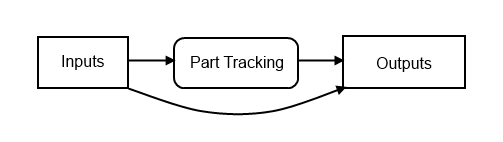
Consider a machine with an e-stop button. It’s a big red button with a mushroom head that’s supposed to be easy to hit. However, I’ve seen a lot of machines where the consequence of hitting that button was major downtime because the part tracking got screwed up or the machine just didn’t recover gracefully. I once watched a pallet get bumped out of the track and it was riding along the rail of the conveyor. I hit the e-stop just before it was about to damage some equipment. I was scolded for my efforts: “never hit the e-stop,” he said. That’s the wrong motivation. You want operators to press the button when they see something wrong, so make it easy to recover.

Consider an inventory tracking system. You want people to record stuff they’ve consumed, and what cost account they’ve consumed it against. What motivation does a person standing there with a bolt in their hand have to look up that bolt in your inventory system and mark it consumed? Very little. What if you lock the door to the store room and make them request an item before you unlock the door? That’ll help, but chances are some people who don’t know exactly what they want will click the first item on the list, and just go in and browse. What if you make the inventory storage system so convoluted that the only way to find an item is to look up the storage location in the computer? Well, that might work (until your inventory system breaks).

Like water, people tend to take the easiest path down hill. You’re better off digging a channel where you want it to go than expecting it to get there under its own power. Use gravity to your advantage. Make it harder to do things the wrong way and easier to do things the right way.

·

Dec/11

10

Safe(r) Data Collection from a PLC

There’s been a lot of discussion recently about the dangers of connecting automation equipment to networks, and yet there are significant pressures to do so. Of course, I don’t ever think that you should take a PLC and put it on an internet accessible IP address, but it’s certainly common practice to connect industrial automation equipment to internal LANs to facilitate data collection. People in the front office need to push production planning information down to the production floor, and they need real-time data on what’s going on (not to mention for historical data logging, historians, etc.).

It’s all too common to throw a PLC on the same network as your front office, and I’ve seen it blow up. What happens is something invariably goes wrong on the office network (someone plugs two ports together on the switch in the boardroom, or someone brings in an infected music player and plugs it in, or the DNS server at head-office goes down and the local DNS doesn’t work correctly… I’ve seen a lot). However, you want your machines to keep going when this happens.

This is all made worse now that (a) industrial automation equipment is more commonly based on off-the-shelf commodity hardware and software (e.g. windows PCs) and (b) the people writing malware can actually spell PLC now. Up to this point there’s been some form of security through obscurity.

If you have a local IT staff that’s on the ball, you really should be getting them to handle the network layout. On the other hand, if you’re in a small facility with limited resources, there’s a lot you can do by making some simple design choices that will go a long way towards improving the reliability and security of your systems.

Most automation cells now come with an Ethernet switch already built-in. Typically this is an industrial spec. DIN-rail mounted one. It’s not fancy, but it’s supposed to survive in a panel. These Ethernet switches are there to connect your PLC to your HMI, and increasingly to connect your PLC to Ethernet-based I/O like Ethernet/IP, etc. The common (and wrong) thing to do is to drop a network cable from your plant network to your panel and plug it right into this Ethernet switch. This creates some technical problems right off the bat:

The automation devices typically have fixed IP addresses (I personally prefer this because it means these devices aren’t dependent upon an external DNS or DHCP server – two less dependencies are good). Chances are that these IP addresses won’t work on your plant network, so you have to manage those IPs at the plant level. You’re opening yourself up to someone with the wrong IP on their laptop pouncing on your PLC’s IP address, and then bam, your machine is down.

A much better way is to place some kind of Router with NAT between the plant network and the machine’s Ethernet Switch:

Now if you’re just a little manufacturer with two machines out back and your data-collection link isn’t critical, you can probably get away with one of those home routers from Best Buy that you’d use to connect your laptop and your desktop at home to your cable modem. Note that it doesn’t need to be wireless, and you’re probably better off if it isn’t. The way you hook it up is to connect the Internet (Uplink) port on the router to the plant network and run a cable from one of the ports on the LAN side to the existing Ethernet switch in the machine. If your data needs to be a bit more reliable, consider buying some kind of Cisco router with NAT capability (but you’ll be going from the $50 range to many hundreds of dollars – your choice).

Now, when you configure it, you want to make sure that you turn off the port forwarding function, the DMZ function, disallow remote administration, and block all anonymous internet traffic (these should be default settings, but it’s good to check). Also, make sure the router’s local IP address doesn’t conflict with the PLC’s and HMI’s, and make sure they have the same subnet. Typically you’ll want to either turn off DHCP on the local side, or limit it to a range that won’t conflict with the fixed IPs. DHCP is handy when you connect your laptop to the programming port. Now what you’ve done is made it somewhat invisible from the plant side. Some piece of malware scanning for devices on your plant network should just see a black hole.

Now on the PLC side, you can now initiate a connection to the data collection server even though the data collection server can’t connect to the PLC (in the same way that your home computer can connect to Google, but Google can’t get to your PC – theoretically). Note that a piece of malware on your data collection server or on one of the routers/switches in your plant network could intercept this communication, and own your PLC, but at least you’ve significantly reduced the surface area of attack. Not perfect, but reasonable at this time, depending on the sensitivity of your equipment. I’m assuming you’re not enriching uranium or providing drinking water to my community.

(I’m going to be talking specifically about Allen-Bradley products now – sorry.)

So how do you get the data from the PLC to the data collection server? In the old days you’d have some software on the server like RSSQL, and it used a product like RSLinx Enterprise and as far as I know, it initiated the connection to the PLC. That won’t work in this case. Sometimes you’d throw an OPC server in there, and have some kind of historian that would log tags to a database. That OPC server, obviously, needs to be able to initiate a connection to the PLC. To use a router with NAT, you’d need to port-forward from the router to the PLC (or to the OPC server if it was inside the machine network). That’s undoing a lot of our protection.

What you need to do is initiate the connection from the PLC, and have the Data Collection computer act as a Server. One way to do this is with a 3rd party Ethernet card, like this MVI56-GEC card from Prosoft for the ControlLogix line. I have used that in the past to connect to a server, but it involves a lot of ugly PLC coding. It’s your only option if you have to conform to someone else’s protocol though.

If you just want to write data directly into a SQL database, there are 3rd party products that will let you do this (basically a SQL Server connector card).

But there is an option without buying any new hardware. The ControlLogix/CompactLogix lines can send Unsolicited CIP messages, and you can find products that can receive these messages in the PC world, like CimQuest’s NET.LOGIX product. It can act as a server and receive data directly from the PLC – either individual tags, or even arrays of UDTs. The code on both ends is relatively simple, so all you have to pay for is the NET.LOGIX runtime license, which is cheaper than the hardware alternatives. Note that you can also do this with PLC5 and SLC500 devices, though there’s some more effort involved.

I hope that’s enlightening. This is by no means a perfect solution, but it’s reasonable for now. It doesn’t plug the laptop hole (the programming laptop is probably still your #1 vector for malware to get into your machine network). It’s susceptible to man-in-the-middle attacks between the router and the data collection server. It’s susceptible to exploitable bugs in the router’s firmware. Beware and use your own judgement.

· ·

Completing the trilogy of ICS-security related blog posts, a hacker recently demonstrated how easy it was to find and log in to an internet-facing SCADA system using for water management in a town in Texas. From the article on threatpost:

The hacker, using the handle “pr0f” took credit for a remote compromise of supervisory control and data acquisition (SCADA) systems used by South Houston, a community in Harris County, Texas. Communicating from an e-mail address tied to a Romanian domain, the hacker told Threatpost that he discovered the vulnerable system using a scanner that looks for the online fingerprints of SCADA systems. He said South Houston had an instance of the Siemens Simatic human machine interface (HMI) software that was accessible from the Internet and that was protected with an easy-to-hack, three character password.

For those of us who design, build, and deploy systems like this, let’s ask ourselves what would happen if a serious incident happened and significant equipment damage was done, or worst case, people were seriously injured or killed. Don’t you think the people who worked on the system would end up in court (if not in criminal court, then at least in civil court)?

When in doubt, don’t sit these things directly on the internet. There are lots of secure remote access products available (Google for “VPN”). It’s worth it.

Joe Weiss recently reported on the possible hacking of a public water SCADA system, apparently in Illinois. This attack, if it was an attack, caused damage to a pump by turning it on and off repeatedly.

It seems obvious that this situation is going to be repeating itself more and more. If you’re a company with industrial control systems, or you provide control system services, now’s a great time to start thinking about your control system security strategy. Do you have the necessary skills on staff? If not, where are you going to source them from?

I think most people in our industry realize you shouldn’t connect industrial automation devices to the internet, but just in case you happen to think otherwise, here’s a quick explanation why (this is old news, by the way).

You may believe that things connected to the internet are relatively anonymous. There’s no web page linking to them, so how is Google going to find them, right?

It turns out it’s relatively easy to find devices connected to the internet, and it’s kind of like the old movie WarGames where the lead character, played by Matthew Broderick, programmed his computer to dial every phone number in a specific block (555-0001, 555-0002, etc.) and record any where a modem answered. That was called “war-dialing”. In the age of the internet, you just start connecting to common port numbers (web servers are on port 80, etc.) on one IP address at a time, and logging what you find. This is called port-scanning.

It turns out that you don’t even have to do this yourself. One free service called SHODAN does this for you, and records everything it finds at the common port numbers (web servers, FTP servers, SSH daemons, etc.) and lets you search it just like Google. It turns out that (a) most modern industrial equipment is including embedded web servers and/or FTP servers to allow remote maintenance, and (b) most web servers or FTP servers respond with some kind of unique “banner” when you connect to them, announcing who or what they are.

So, if you don’t believe that you shouldn’t be putting industrial automation equipment on the internet, here’s a little experiment you can run:

  1. Take a ControlLogix with an ENBT card and hook it directly to the internet, so it has a real IP address.
  2. Wait a couple of days.
  3. See if your IP address shows up on this SHODAN search page.

You could try the same thing with a Modicon M340.

This query for Phoenix Contact devices is particularly scary, as one of the links is a wind turbine! I was a bit scared once I opened it (it opens a publicly accessible Java applet that’s updating all the data in real-time), so I closed it. There was no password or anything required to open the page. At least the button that says “PLC Config.” appeared to be grayed out. Let’s hope that means it’s protected by some kind of password… and that it’s hardened better than every single major corporation’s website was this year.

Just want to say thanks to DigitalBond for pointing out this SHODAN search for all Advantech/Broadwin WebAccess deployments around the world too.

·

Oct/11

25

Control System Security Dilemmas

It’s fascinating to watch what’s unfolding in the Industrial Control System Security front these days. Digital Bond’s SCADA Security Portal is as entertaining as any (thanks to ArchestrAnaut for pointing it out for me).

A brief recap:

  • Stuxnet makes news even in the mainstream press
  • Siemens shrugs it off and does absolutely nothing about it
  • Security researchers, smelling smoke, start poking around PLC security and find it completely lacking
  • Details about wide open backdoors inserted into common PLC hardware has now been published online

Things are not moving in a positive direction either. Those security “researchers”, many of whom seem to be selling security solutions, are digging up ways to compromise PLCs and they’re posting all that information online. Now if this forces automation vendors to stop looking the other way and start taking security seriously, then I think it can only be a good move in the long term, but you have to admit it feels a little like a tire salesman throwing roofing nails on the road in front of his store.

All of this makes you wonder, what’s a small manufacturer to do? As always, businesses need to weigh the risks and the costs and act accordingly. This isn’t easy for the decision makers. On one side there’s enormous pressure to network all of the systems together to facilitate the fast flow of information between the ERP, MES, and Plant Floor layers, but on the other side, every interconnection increases the risk of catastrophic failure. I’ve personally seen Windows worms take down automation networks. In the next few years I’m certain we’re going to see worms that can jump from PLC to PLC and probably ones that can cross from Windows to PLC and back.

Properly segregating networks and then managing them is a big IT project. That means it needs scarce resources, and those resources aren’t making money for the company. Big manufacturers have enough cash flow (and have been bitten enough times) that they can allocate resources for this kind of project, but small manufacturers are a different story.

Small companies generally lack the specialists needed to implement such systems. Almost by definition, generalists serve in small companies and specialists gravitate towards large companies. Small companies can only implement commodity solutions (unless it’s part of their core business strength). That means that while we’re all worried about what might happen if a major utility or top tier manufacturer gets hit with an automation security breach, the fact is it’s more likely that small manufacturers will be the first ones hit by a fast-spreading generalized threat. The economic impact could be just as large… those small manufacturers are feeding parts up the supply chain, and in this just-in-time environment it doesn’t take much to cause a major interruption.

What’s the solution?

Short of the automation vendors waking up and making secure products, we need better (and less expensive) tools for securely connecting our PLCs. I hate to say it, but you can’t implement modern control systems without knowing the basics of network security, VLANs, and access control.

No tags

In programming, we have a principle called Don’t Repeat Yourself (DRY). It’s a very important idea, and I’d argue that most of the advances in programming environments over the years have been in support of this principle and its related principle, Once and Only Once (OAOO).

Unfortunately, like every “principle”, it eventually takes on the level of dogma, and the people spouting it sometimes forget why it exists. These principles aren’t ends in themselves; they’re not self-justified. They are general principles to follow, but only when they support the end-goal of solving problems in more efficient, and more maintainable ways.

Let me give you a very simplified example of how it can be carried to far. Consider the following declarations in C#:

const int MOTOR_1_START_TIMEOUT_MS = 5000;
const int MOTOR_2_START_TIMEOUT_MS = 5000;

Consider that I could write:

const int MOTOR_1_START_TIMEOUT_MS = 5000;
const int MOTOR_2_START_TIMEOUT_MS = MOTOR_1_START_TIMEOUT_MS;

or…

const int MASTER_MOTOR_TIMEOUT_MS = 5000;
const int MOTOR_1_START_TIMEOUT_MS = MASTER_MOTOR_TIMEOUT_MS;
const int MOTOR_2_START_TIMEOUT_MS = MASTER_MOTOR_TIMEOUT_MS;

Notice that all 3 versions accomplish the same end-result, but they are semantically different. The first version means that the two motors have independent timeout values, and they’re just co-incidentally the same. The second says, “motor 2′s timeout must be the same as motor 1′s timeout.” The third says that both motors must have the same timeout.

In my opinion, any of these three versions might be correct for various systems involving two motors. However, if you follow the DRY principle without thinking about it, you’ll assert that the first version is incorrect. In fact they’d probably say the only correct version should be:

const int MOTOR_TIMEOUT_MS = 5000;

(…ignoring, for the moment, that it should probably be a configurable value rather than a constant.)

Why does this simple example matter? Consider the case of a PLC-based control system with 10 motors. Let’s say at the start that all the motors, and all the drives running them, are identical. If you’re familiar with my philosophy of PLC programming, you know that my default solution for this would be to have 10 ladder logic routines, each called MOTOR_01, MOTOR_02, etc. Each routine would basically be a copy. That really doesn’t follow the DRY principle, does it? Certainly no, not at face value.

You might not believe it, but I get the occasional “hate mail” to my blog’s email address because of some of my technical opinions here. The most recent one, comically, referred to me (and all PLC programmers for that matter) as “dinosaurs”. I’m not sure what the rest of the message said, because if you can’t be polite, I’m not going to bother listening to you. However, I believe it’s this flagrant violation of things like the DRY principle that really rubs traditional PC programmers the wrong way when you start to talk about the principles of PLC programming.

Of course, my views about PLC programming are just that – general principles that need to be evaluated in the light of each and every project. I’m just asserting that most of the time you should be following a principle of a one-to-one mapping between ladder logic and real-world hardware. That doesn’t mean it’s an unbreakable rule.

Going back to the 10 motor example, the way you structure your program should be based on a decision you make about anticipated future changes to the system.

If you write one generic routine for controlling a motor, and you call it 10 times, you’re saying, “I always expect all 10 of these motors to behave in an identical way for all of the future.” Of course, you can allow variations, but you have to do that by passing in parameters for each instance. You have to be explicit about what can vary. Adding new parameters is typically a harder task than just modifying one of the 10 existing motor routines when you need to change the behavior of one motor.

On the other hand, if you follow my principle of 10 motor routines for 10 motors, you’re saying, “I expect that we’ll rarely need to make a sweeping change to all 10 motor control routines, but that we are likely to modify one or two routines to make them perform differently than the others.” I personally believe this is usually closer to the truth. As a system ages, perhaps one motor drive will blow, and you can’t buy the original drive anymore, so you have to replace it with a new one that has different control signals. That’s a fairly typical scenario, in my experience. Also, even though you might have 10 identical drives and motors, the process may or may not be identical for each motor. They may perform vastly different functions, and it’s likely that you’ll want to change just one or two of them to access more advanced features of the drive when you refine the process. Of course, I also like that with a one-to-one mapping in a PLC, troubleshooting becomes much easier because with online monitoring you can see each control routine executing just for that motor. You can make temporary changes just to one motor routine to bypass a faulted drive, or to do a million other changes that you’ll never be able to predict when you’re writing the logic.

The fact is, we’re physically limited by the number of drives we have. The amount of time it takes to make a change to all 10 motor control routines is tiny compared to how long it takes to make physical changes to 10 drives. This effort scales with the size of the system. In PC programming, you can have a system with millions, even billions, of objects, but in the PLC world, you’re limited by physical reality. The consequences of repeating yourself aren’t always as great, and you need to take that into account, and weigh it against your other goals.

That doesn’t mean I can’t imagine a case where you really want to assert that the motors all have to operate identically, all of the time, forever in the future. There are systems with load sharing drives where the system wouldn’t operate if you mismatched the drives or motors. That’s a design decision you have to make. Principles are only there for guidance, but they are not absolute rules, and they shouldn’t be treated that way.

It may seem like I’ve forgotten about this blog lately, but that’s not the case. The truth is last week I was on vacation, and before and after that I’ve been working on a project tangentially related to home automation, which I’ll probably be posting lots about in a couple of weeks.

However, today I wanted to touch on a topic that many of you will be familiar with: database design. When we talk about database design, we mean a database schema or, more generally, and entity relationship diagram (ERD).

If you do any kind of data logging, or you’re using a database as the data-store for your configuration data, you’ll have to do some kind of database design. Both of these cases call for a “normalized” design. In fact, de-normalized designs are typically only used for heavy-duty data-mining applications, so they’re pretty rare. The advantage of a normalized database is that it follows the “once and only once” (OAOO) software development principle, that says there should be one, and only one, definitive source for any particular fact. So, for instance, don’t store the operator’s name all over the place; rather, store the operator’s name in a table called Operator, include an OperatorId column that’s assigned once when the operator’s row is created but never changes, and then use the OperatorId as a foreign key in your other tables. This gives you several advantages: less database storage (an Id is typically shorter than a name), a single place to change the name (typos are always common and people change their names) and if you do have to change it, you only have to lock one database row to do the edit during the database transaction, instead of every database row that uses this person’s name.

That’s pretty standard stuff, but I want to take a slight tangent. By default, don’t store data you can calculate from other data. This is actually for the same reason. For instance, you wouldn’t store a person’s age, you’d store their birth date. That’s because the age changes all the time. I’m not saying you’d never store a calculated value, but doing so is an optimization, and “premature optimization is the root of all evil.”

Let me give you a real-life example. Lets say you wanted to record the production throughput of an automobile assembly line. Let’s assume you’re already storing the VIN numbers of each vehicle, along with some other data (various part serial numbers, etc.). I’ve seen implementations where someone’s added a new table called LineThroughput, with one row per time period, and a counter in each row (in fairness, I’ve done it too). Every time a vehicle comes off the line, the application finds the applicable row and increments the counter (or adds a new one as required). PLC programmers are particularly likely to do this because we’re used to having limited memory in the PLC, and PLCs come with built-in counter instructions that make this really easy. However, this is a subtle form of denormalization. The database already knows how many vehicles were made, because it has a record for each VIN. All you have to do is make sure that it has a datetime column for when the vehicle rolled off the line. A simple query will give you the total number of vehicles in any time period. If you follow the route of adding the LineThroughput table, you risk having a numerical discrepancy (maybe the database isn’t available when you go to increment the counter, for instance).

Just storing the datetime field has one more advantage: the database is more “immutable”. If data is only written, errors are less likely. If you do want to create a summary table later (for performance reasons because you query it a lot), then you can create it when the time period is over, and once you’ve written the record, you’ll never have to update the row. Again, this is better because the row is “immutable”. The data is supposed to be a historical record. Pretend it’s written in pen, not pencil. (You might be horrified to know that some electronic voting machines seem to use the LineThroughput table method to record your votes, which makes them extremely susceptible to vote-tampering.)

I hope that’s enough information to make my points: normalize your database, don’t record redundant information, or information you can calculate, and avoid situations where you have to update rows repeatedly, particularly if you’re doing data logging.

Jul/11

11

RAB Telecom Canada Review

I was recently in the market for some laser-printable wire labels and I stumbled across RAB Telecom Canada. The price was right for the smaller quantity I was after, so I decided to give them a shot. I was a bit confused by some of the wording on the website, so I contacted them.

The next day I had not only an email answering my question, but a personal phone call from the president, Richard, apologizing for the confusion, promising to have the site updated promptly, and he personally had the shipment in hand and ready to go. He added, “I will pay the shipping handling and for the labels in question. Mr. Whitlock I do this because I value your possible future business.”

As promised, I recently received the labels in great condition. It’s honestly some of the best customer service I’ve ever received from any vendor. It was so out-of-the-ordinary and unexpected that it shocked me. If you happen to be reading this because you typed RAB Telecom Canada into Google and arrived here, then let me assure you they exceeded my expectations.

·

Jul/11

7

The Role of the Engineer

John’s comment on a previous blog post got me thinking about the role of engineers in our society.

Primarily we optimize. Don’t get me wrong, there are lots of engineers that are innovators, inventors, and entrepreneurs, but I believe we’re stepping out of the core role of an engineer when we do that. Our core competency is to get more output from less input.

We’re flexible in our optimization. If we need to get a product to market fast, we can reduce the development time at the expense of resources or quality. Likewise, we relentlessly try to drive down the cost, as profit is the motivating factor behind the businesses that employ us. We do all of this within physical and legal constraints, like the laws of physics and building codes.

That’s why I think it’s funny when anyone proposes that we can “engineer” our way out of some environmental crisis. Engineers will only solve environmental problems if the environmental parameters are included in the equation. If you raise the price of oil, we’ll redesign our processes to use less oil. If you put environmental regulations in place, we’ll redesign our products to meet that criteria.

When I say that something like climate change is a problem for lawyers and politicians, not engineers, this is what I mean. It’s not a technological challenge. It’s a societal challenge. If you really want to consume less fossil fuels then replace income taxes with a fossil fuel tax and see what happens: we’ll automatically shift to other sources of energy, for we are the instruments of that policy.

As engineers, we do have some say. In our role as citizens we vote. We are involved in the creation of new building codes and international standards. Even so, it’s political will that makes change. If you’re waiting for engineering to solve these big issues, don’t. Engineering will follow policy.

Older posts >>

Theme Design by devolux.nh2.me